TP 4: Coding the robotic factory model in Java: Structural view
Overview
The goal of this exercise is to code in Java the class diagram you drew during the previous practical session (TD). Photos of the various class diagrams produced by the different teams have been uploaded to the course's Moodle website. You are free to use these as inspiration for building your own model of the factory, keeping in mind that these diagrams are not perfect, and there is no single way to model a system.
Moreover, these diagrams were created before you had learned all the concepts and best practices in modelling introduced later in class, such as abstract classes and the Single Responsibility Principle. Translating the class diagram into Java thus provides an opportunity to improve your design using these concepts and best practices, and to enhance it where necessary.
In this lab, you will learn to:
- Model a robotic factory using class inheritance and components
- Design reusable
Componentclasses and component types - Instantiate, test, and display the factory model
Robotic factory
As discussed in class, the robotic factory is inspired by Hasso-Plattner Institute’s Cyber-Physical Systems Lab (Figure 1).
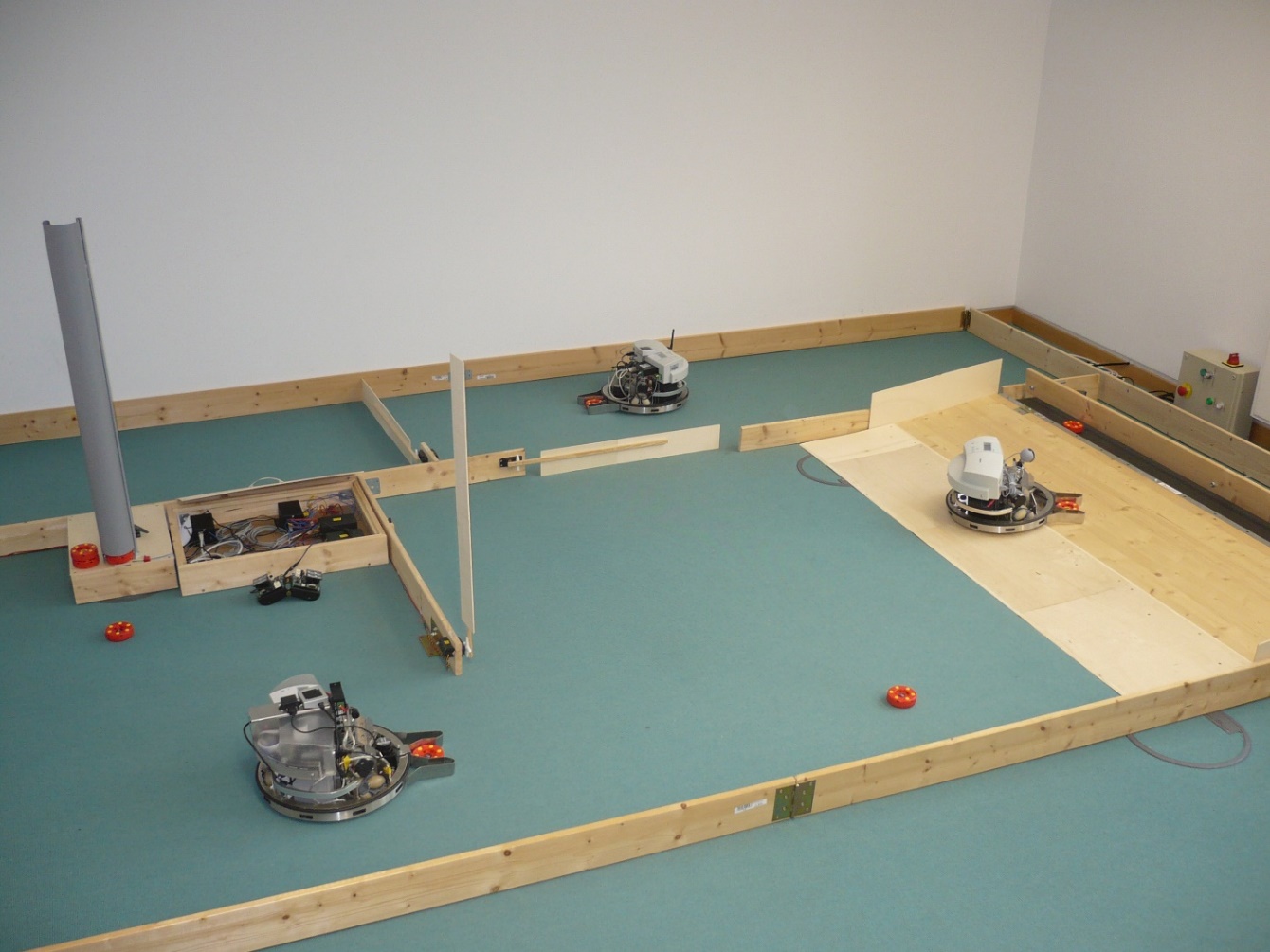
Figure 1. The robotic factory from the Hasso-Plattner Institute’s Cyber-Physical Systems Lab.
Factory overview
As illustrated in the floor plan in Figure 2, the factory consists of various rooms where machines are installed. These machines are designed to perform specific processing tasks on the washers produced by the factory.
Inside this factory, robots transport washers between the different production machines. When needed, these robots can go to charging stations to recharge their batteries until they have enough energy to resume their work.
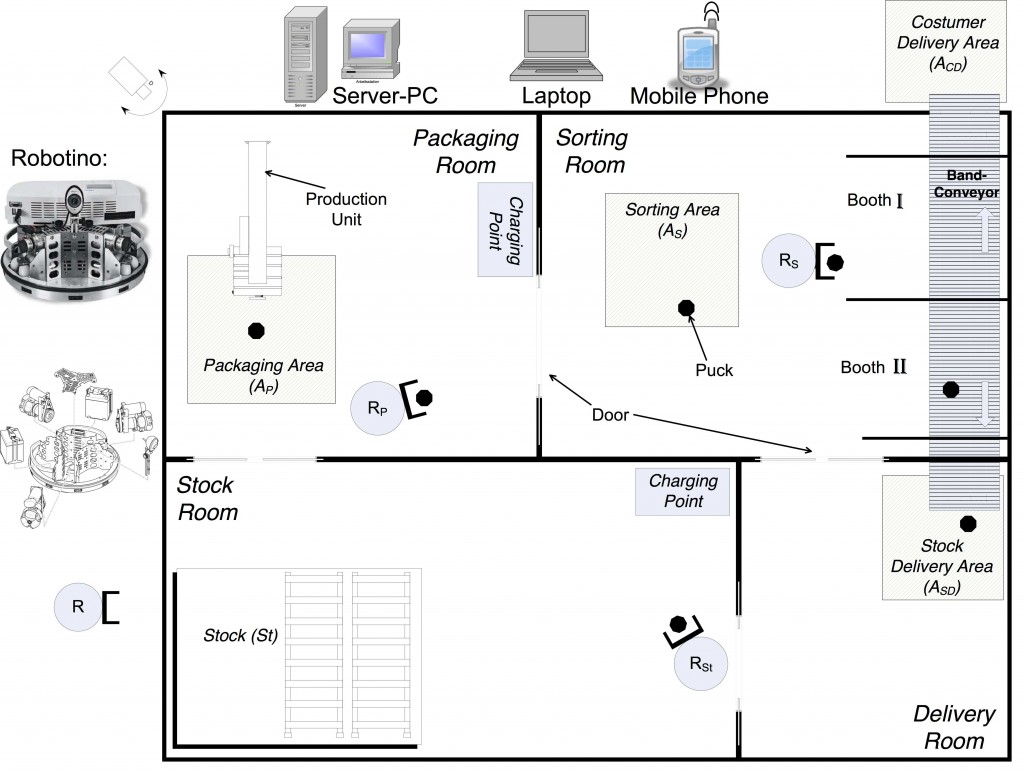
Figure 2. Floor plan of the robotic factory
System simulation
When designing systems such as an automated production factory, simulation is very useful for evaluating various properties such as:
- The amount of goods that can be produced per unit of time.
- The number of robots required to transport goods from one machine to another.
- The battery capacity required for the robots to produce this quantity of goods without spending too much time at the charging stations.
The simulator you will develop for this project will visualize the behaviour of the robotic factory. Specifically, this includes displaying events like robots moving through the building while transporting items, the opening of automatic doors, and making rough estimates of the robots’ energy consumption. These aspects will be covered in more detail in later practical sessions.
System components
We will first model the components of the robotic factory, which consists of:
- A factory.
- Rooms and doors, including production areas.
- Production machines located in the production areas.
- Robots.
- Robot charging stations.
- Washers produced by the factory.
Creating a Component class
We will consider all these objects as components of the factory and represent their position in the factory using Cartesian coordinates (x and y) on the floor plan of the building.
- Create a base class named
Componentthat defines common attributes for all factory components, such as their position on the factory floor and their dimensions. If necessary, create additional classes for these aspects.
TODO: Link with the previous practical session on the factory containing robots.
Modelling different component types
- Using the class inheritance concept covered in class, create classes for each type of factory component. Add the attributes you consider useful for these types.
Modelling the factory and its components
- Create a class to model the factory and its components. Do not forget reference-type attributes, such as the various components contained within the factory.
Overriding the object display method
- Override the
toString()method in each class to customize theirConsoleoutput.
Instantiating and displaying a factory
To test your model:
- Create a test class containing a
main()method. - In the
main()method, instantiate a robotic factory with:
(a) Three rooms, each containing:
- A production area with a production machine.
(b) Three robots.
(c) One charging station. - Display the factory in the
Console. - Verify that the string representation of the factory is correct.